
Network monitoring
The network, mapped by the agent you already installed.
Pick any machine at a client and make it the network collector. It sweeps the subnets, recognises what it finds, draws the topology and keeps watching, with no appliance to ship and no second product to learn.
How it gets there
From one agent to a living map.
Choose a collector
Any always-on Windows machine at the client: a server, or a PC that never sleeps. It needs no inbound ports and talks to RabbitRMM over the agent's existing connection.
Give it credentials once per client
SNMP v1, v2c or v3 communities and users, and SSH logins for config backups, stored encrypted and tried against every device so you do not set them one by one.
Let it sweep
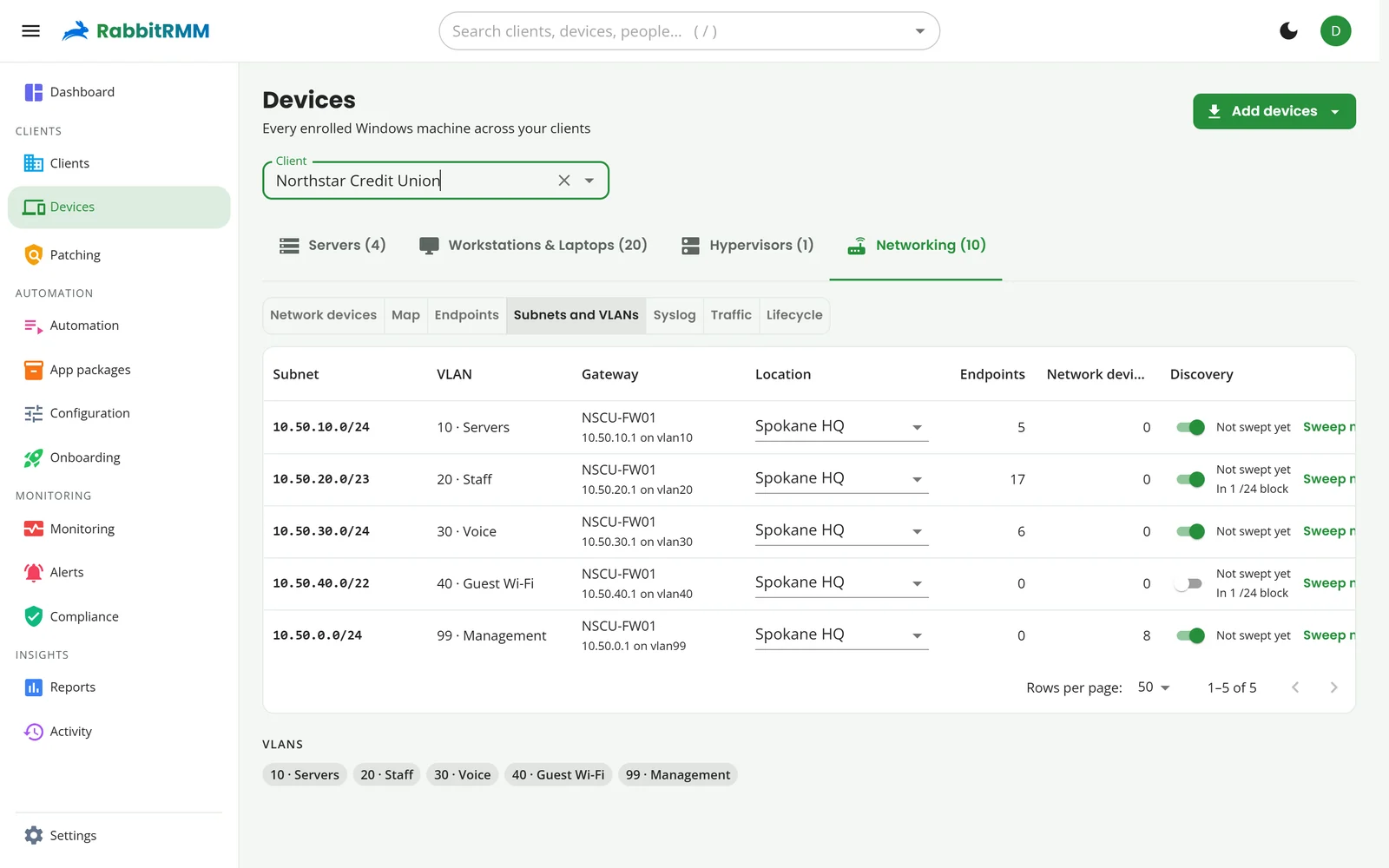
Subnets come from the collector's own network, the firewall's interfaces and your Meraki or UniFi VLANs. Large subnets are swept in /24 blocks, and only the blocks that answer.
Watch the map fill in
LLDP, ARP and switch forwarding tables connect firewalls to switches to access points to the machines plugged into them, grouped by location.
Discovery
It knows a switch from a printer from a UPS.
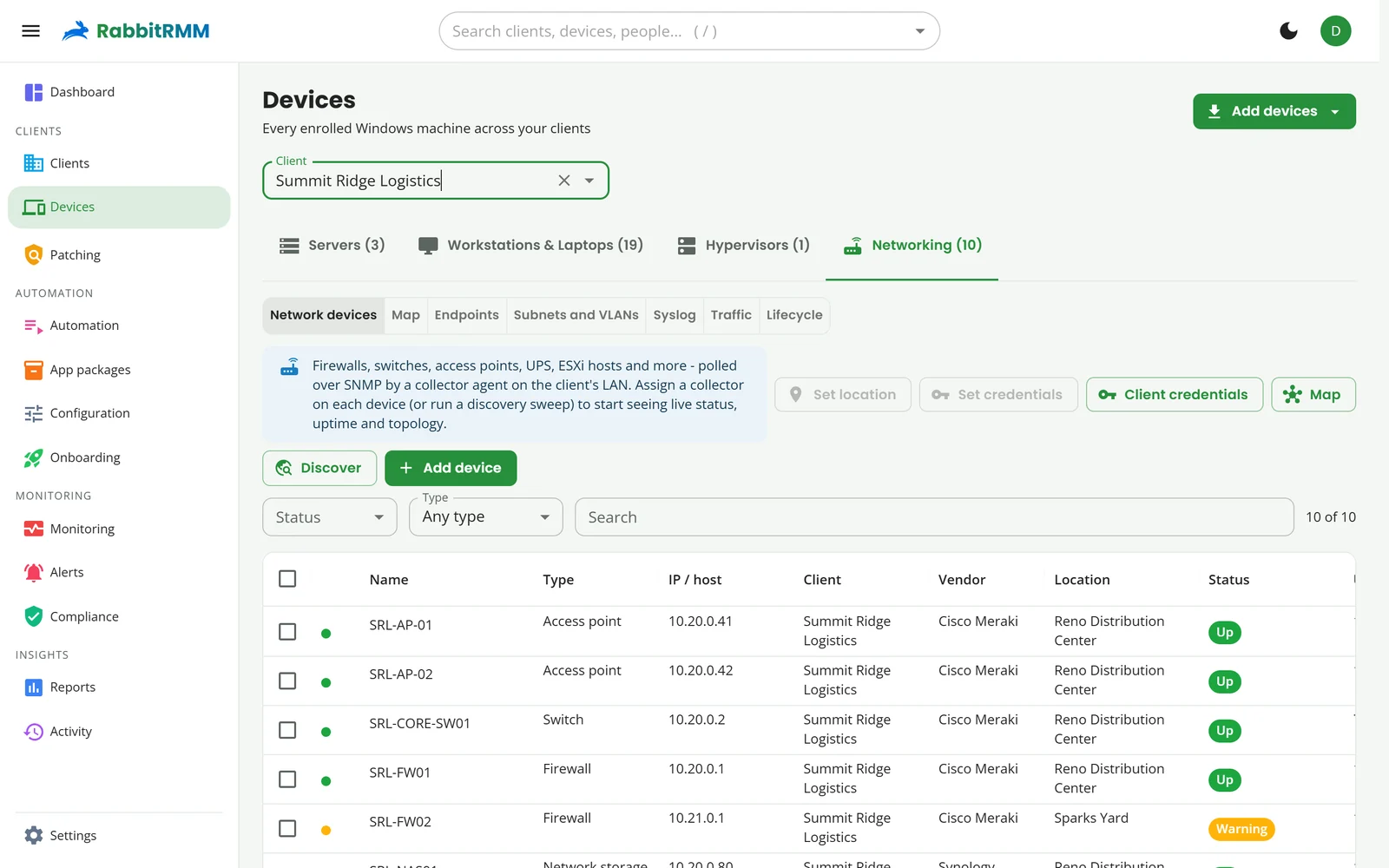
Every device found is classified into one of 46 device classes, from firewalls and layer 3 switches to thin access points, PDUs, VoIP switches and cameras. If it guesses wrong, change it and it remembers.
- Locations follow the subnet: a device appears under the site it sits in
- CPU, memory, interface throughput, uptime and firmware from SNMP
- Warranty and end-of-life dates per model
- Down, warning and uplink alerts, with tickets
Endpoints, subnets and VLANs
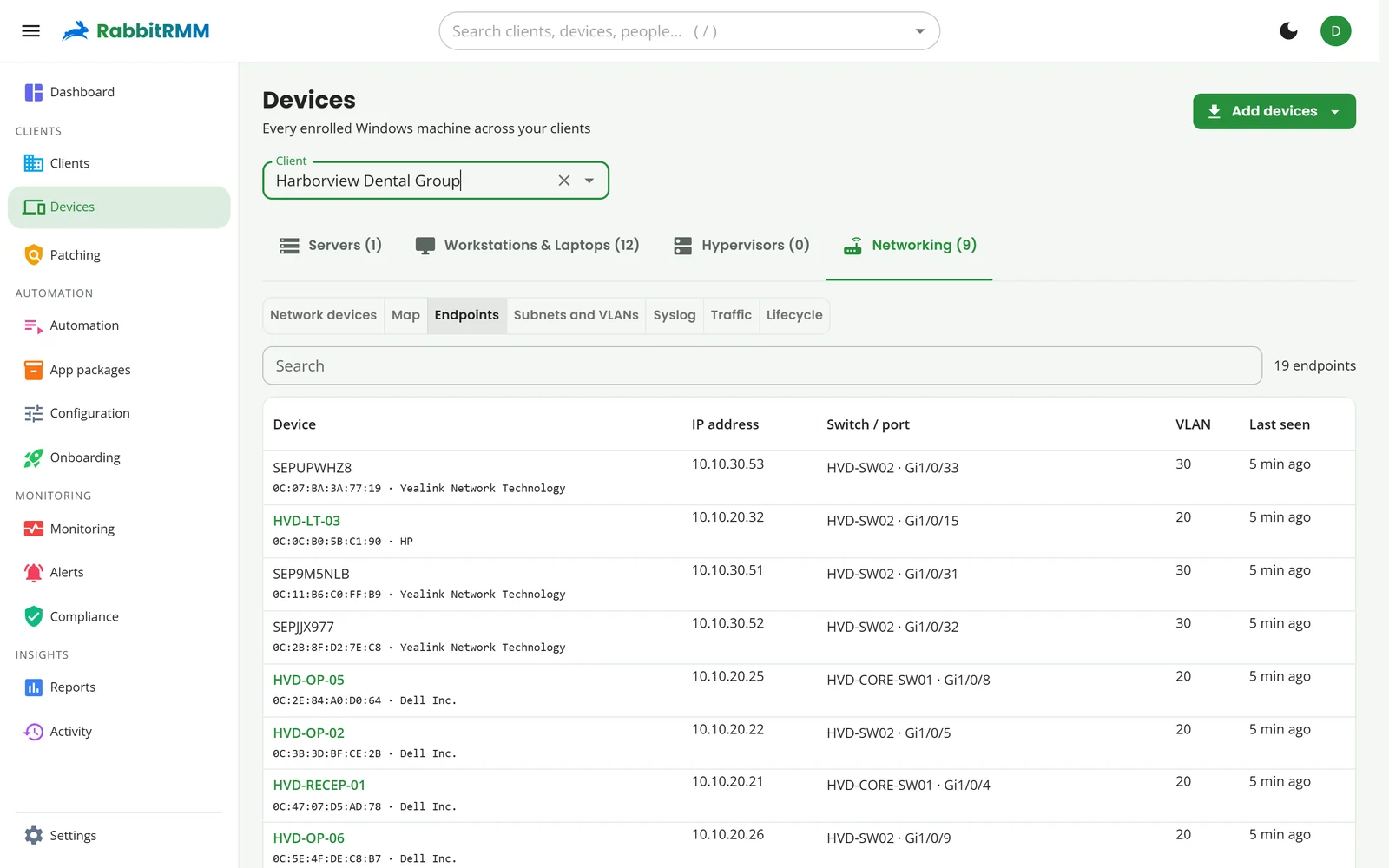
Every MAC address, on the port it came in on.
The endpoints view lists everything the switches can see, managed or not: the IP, the manufacturer, the switch and port, the VLAN, and the RabbitRMM device it matches.
- Unmanaged machines stand out, so a missing agent is obvious
- Subnets and VLANs with their gateway, location and sweep status
- Phones, cameras and printers named by manufacturer
Deeper than up and down
The rest of the network toolkit.
Config backups with diffs
Switch and firewall configs pulled over SSH on a schedule, with a diff of every change and an alert when a backup fails.
Traffic flows
NetFlow, IPFIX and sFlow, collected by the agent: who is talking to whom, on which ports, and how much.
Syslog
The collector listens for syslog from every device and keeps it searchable by client, device and severity.
Path finder
Pick two devices and see the hops between them, port by port, straight from the topology.
SSH and web access
Open a device's SSH console or its web interface through the collector, without a VPN into the client.
Routing and HA
BGP and OSPF neighbours, VPN tunnels and HA pairs read from routers and firewalls.
VMware vSphere
ESXi hosts and vCenter: what runs where, and how the hosts are doing.
Lifecycle
End-of-sale and end-of-support dates per model, so refresh plans write themselves.
Cloud-managed gear
Cisco Meraki and UniFi through their APIs: topology, switch ports, uplink health, wireless, sensors and clients.
Health checks
Network alerts that make sense to a technician.
Device down, uplink failed, latency or packet loss over your threshold, an overloaded appliance, a congested access point. Each one can open a ticket and resolve it when the network recovers.
RabbitRMM also tells you where you are blind: clients with network gear that no check covers show up as a recommendation.
Set up network monitoring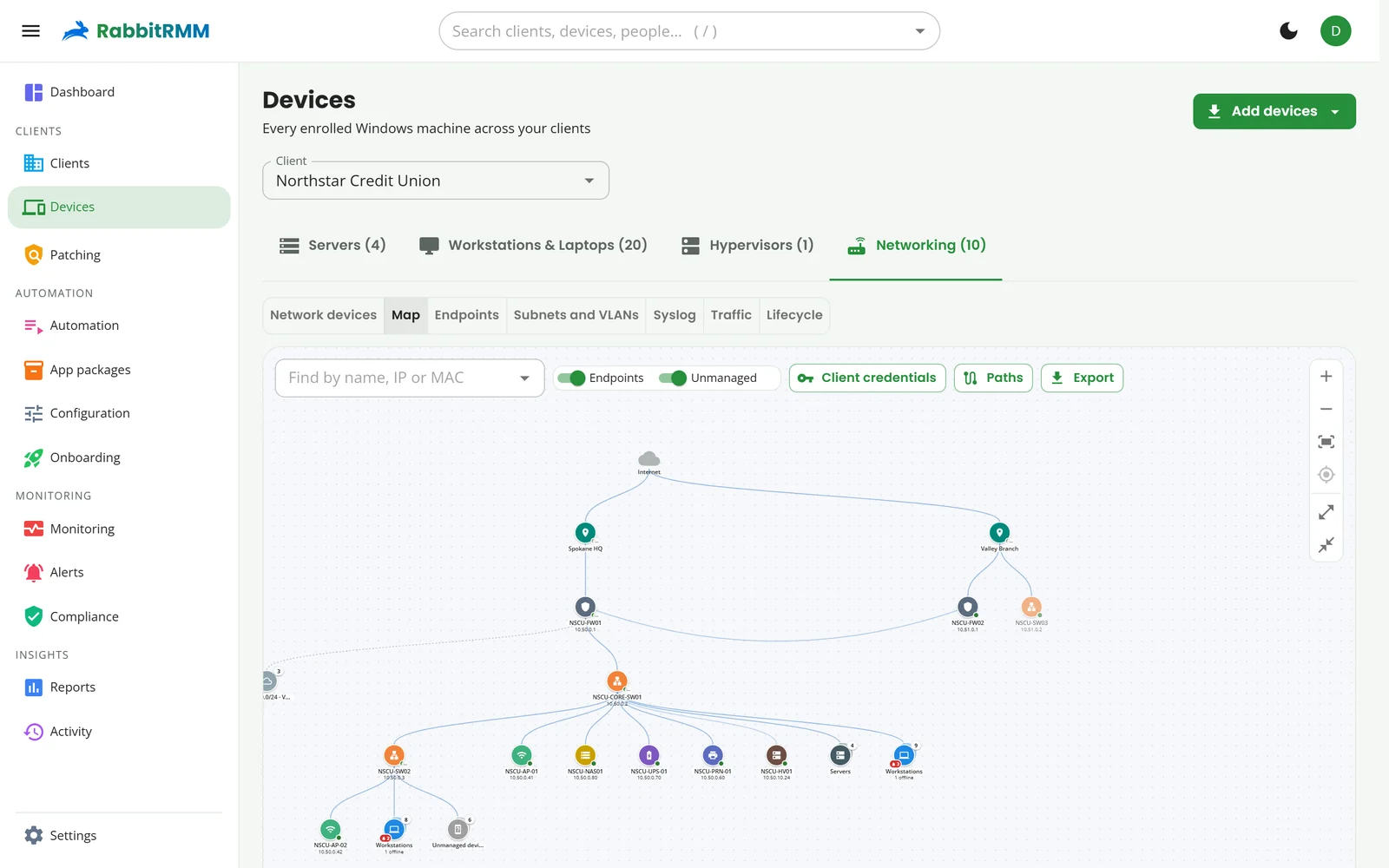
One agent. Endpoints and network.
Retire the separate network monitor and keep everything about a client in one place.