
The product
Everything you run for clients,
in one place that agrees with itself.
RabbitRMM is one fleet, one client list and one permission model under every feature. A device you patch is the device you monitor, connect to, script against and report on. Here is what each part does.
Patching
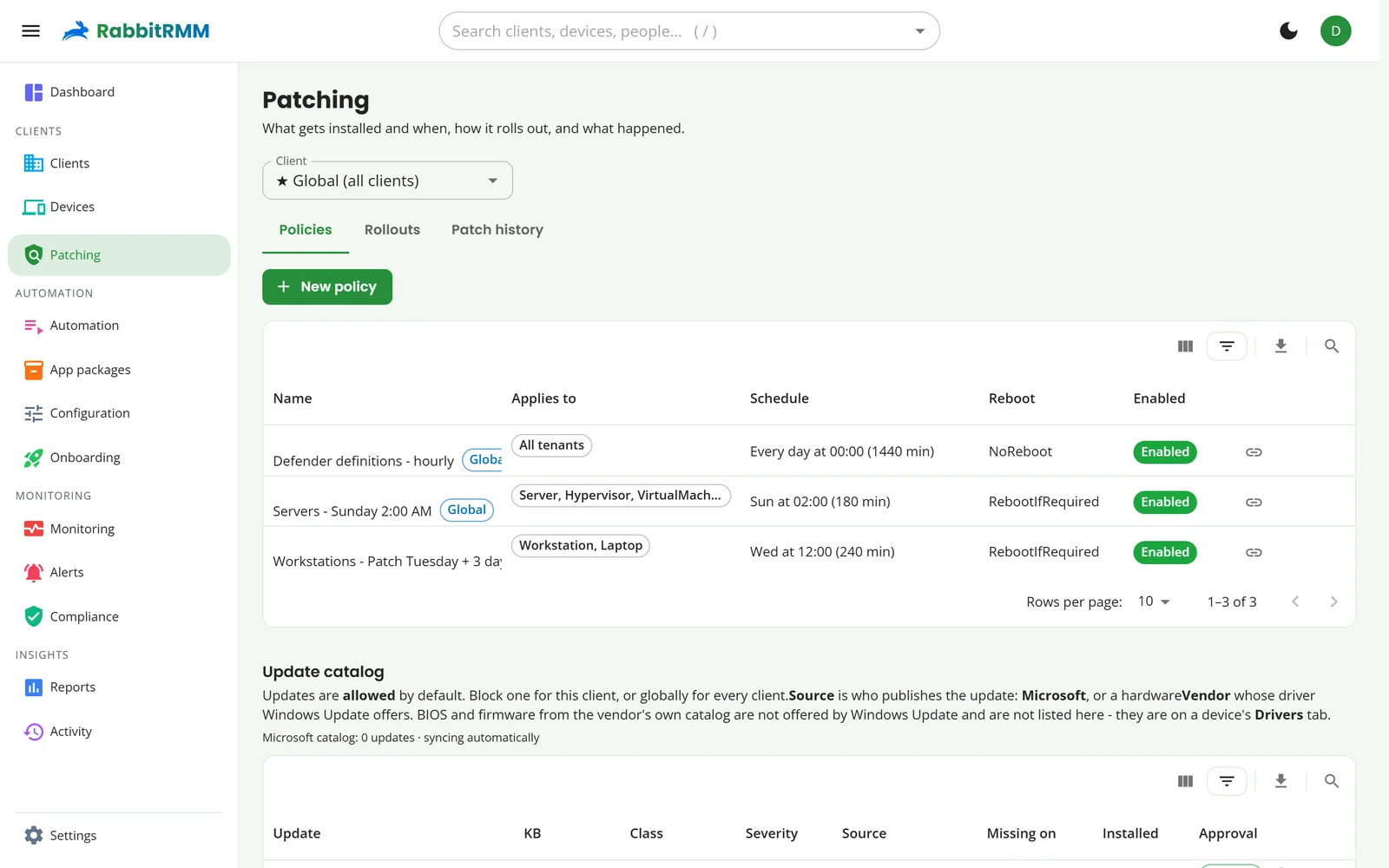
Windows, drivers and apps, patched on your terms.
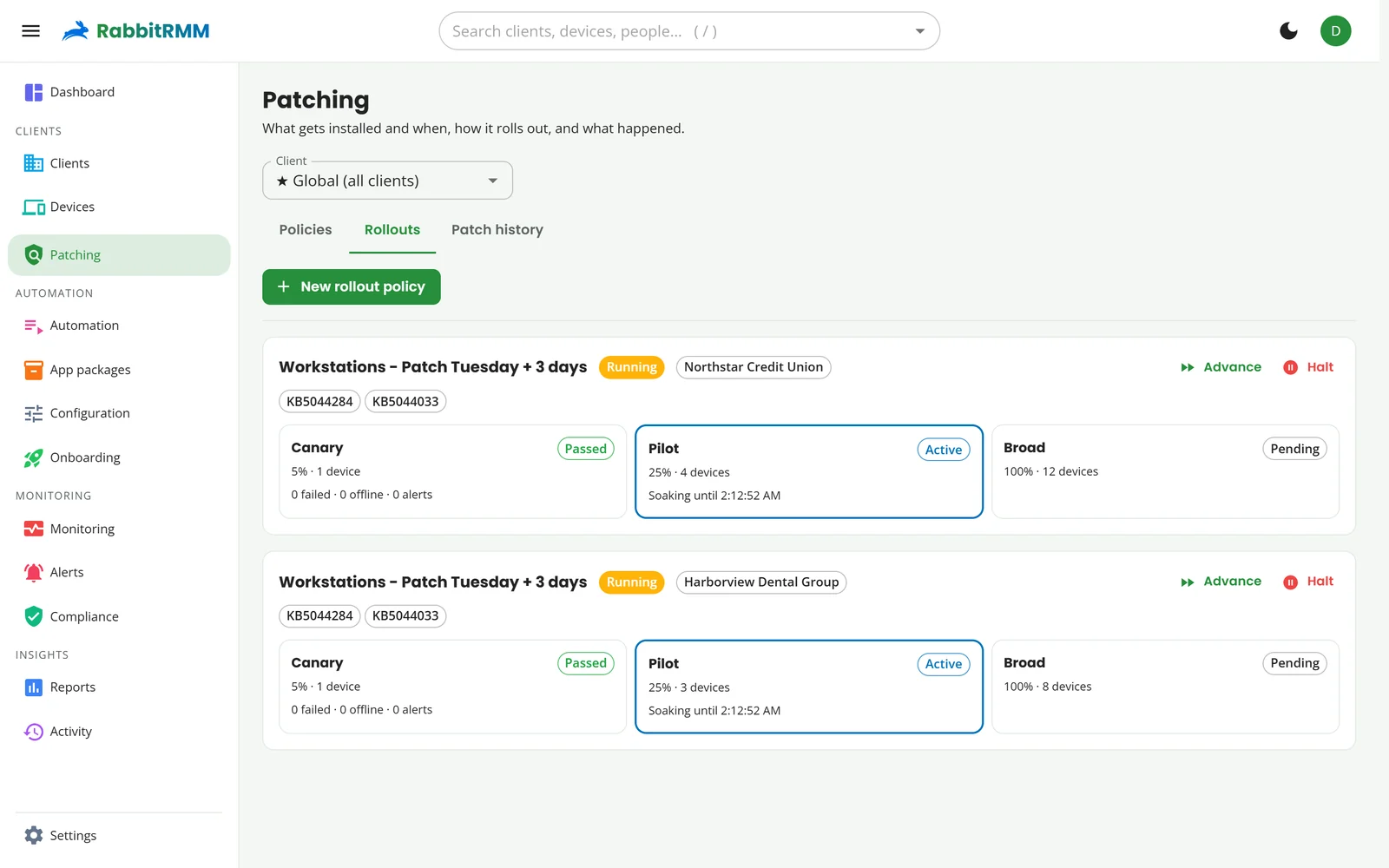
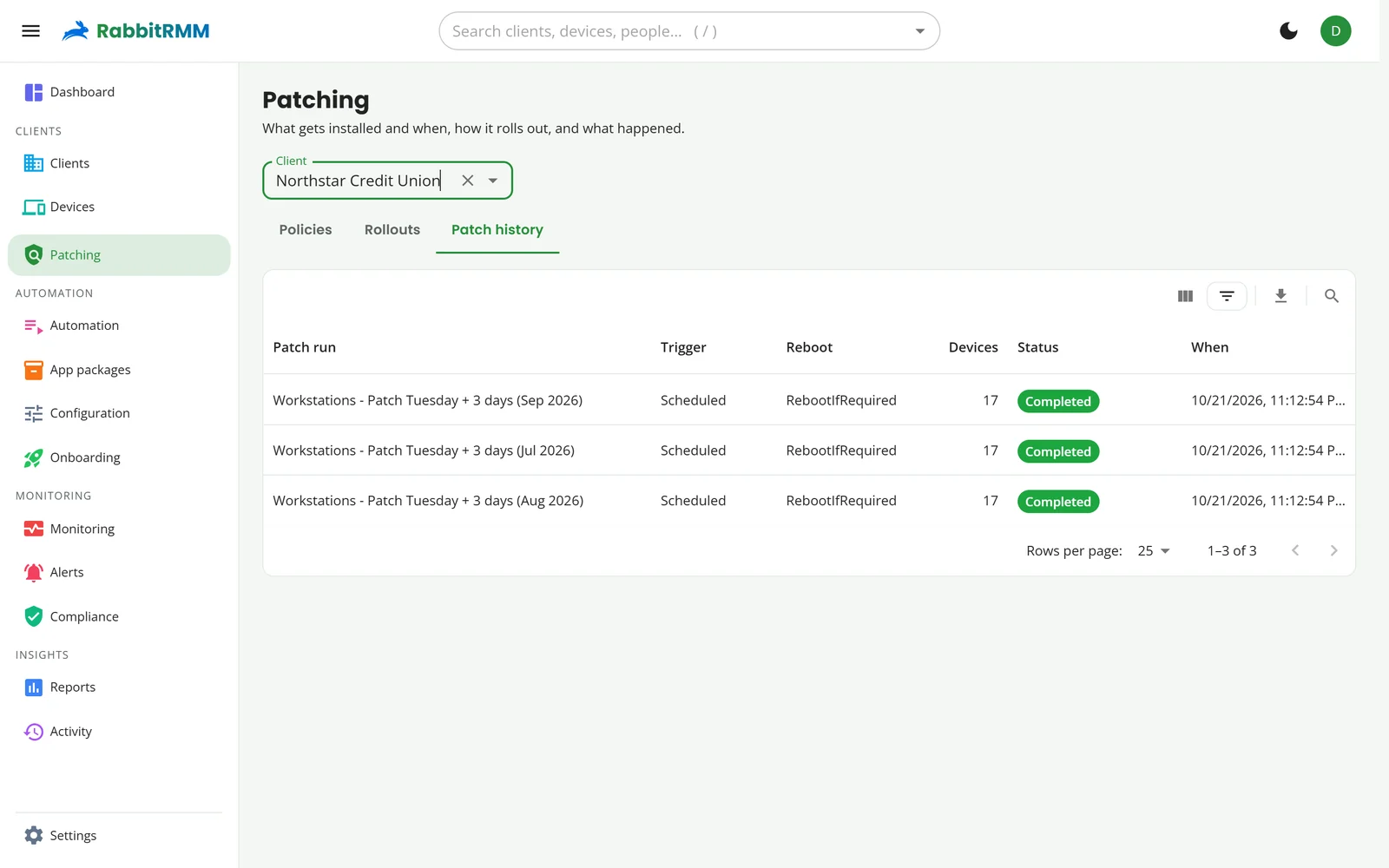
Policies decide what installs, when, and how it reboots. Rings decide how fast it spreads. You decide nothing twice.
- Policies for security, critical, rollups, feature updates, drivers and Defender definitions, scoped globally, per client, per group or by filter (device type, OS, RAM, manufacturer, tags)
- Rings: canary, pilot and broad with soak times and health gates; halts and blocks the culprit automatically
- A catalog that blocks by default: approve an update once, for one client or every client, and roll a bad KB back across a client in one action
- Windows that respect people: client time zones, run-if-missed, pre-stage emails, and a link that lets users pick their own time once or forever
- Vendor catalogs: Dell, Lenovo and HP driver and BIOS updates alongside Microsoft's
- Air-gapped sites patch through a master update node on the LAN, with no internet on the endpoints
Monitoring and alerts
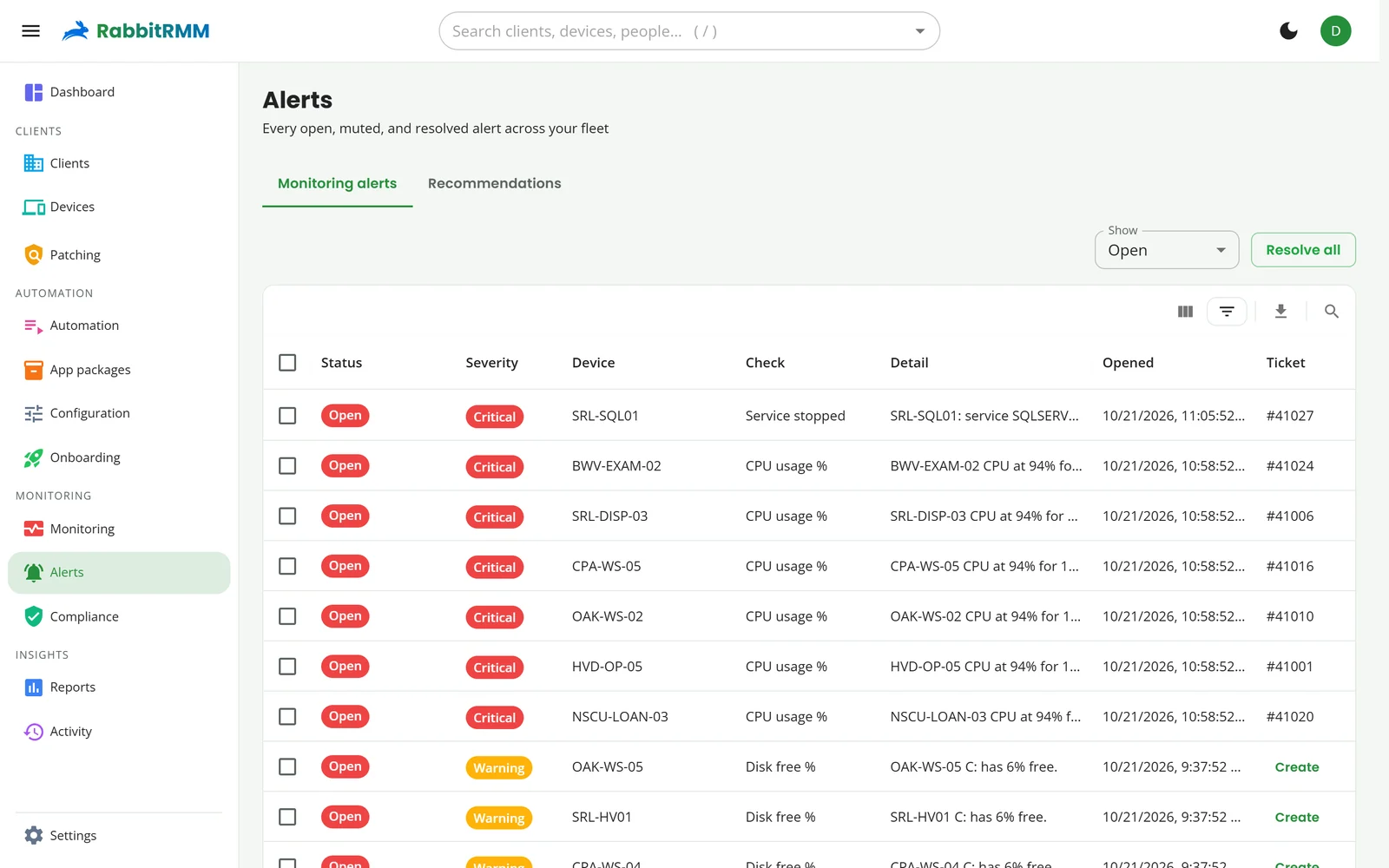
Alerts that know what to do next.
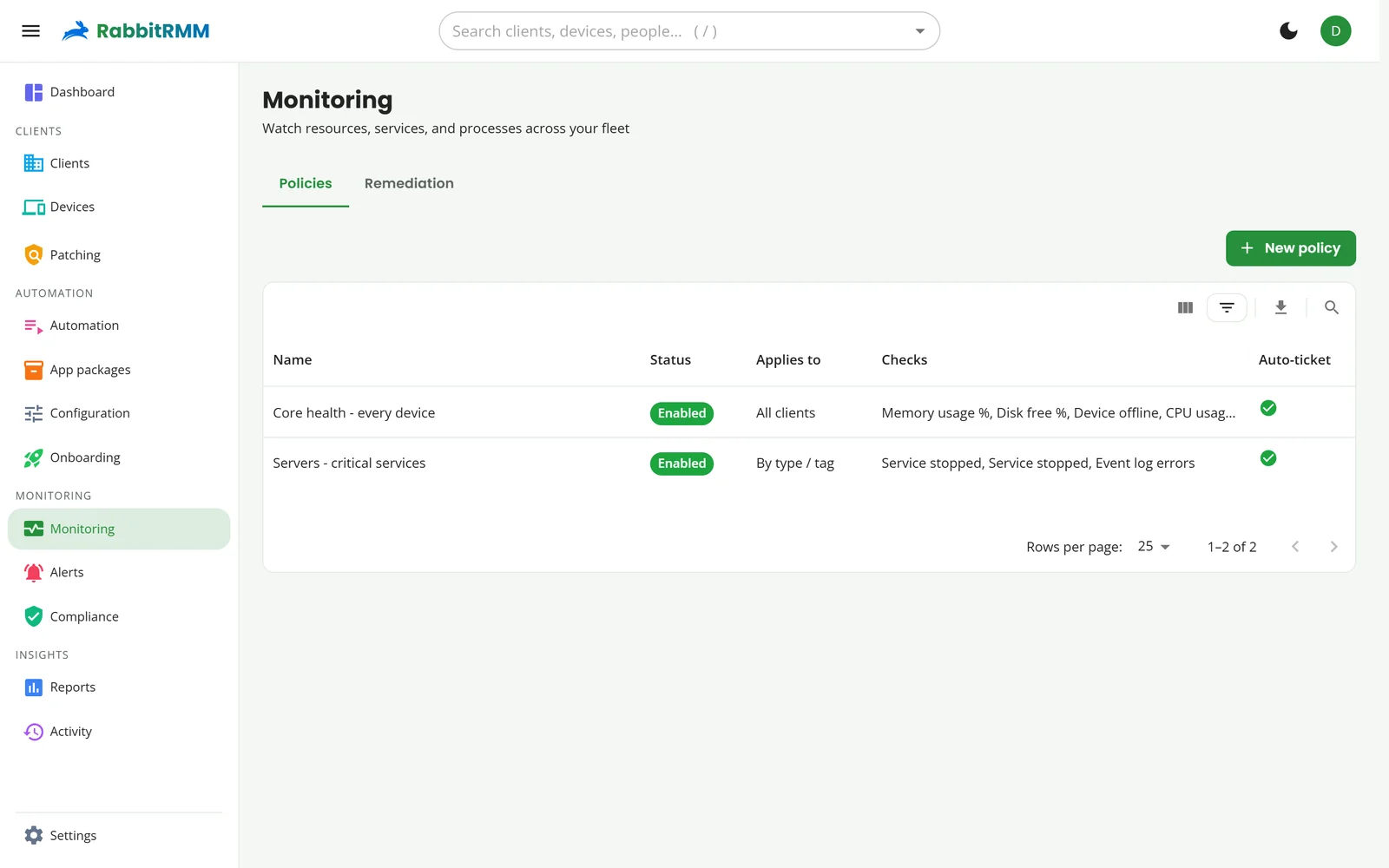
Monitoring policies hold the checks. Alerts open tickets in your PSA, page the right Teams channel by severity, and resolve themselves when the problem goes away.
- CPU, memory, disk space, services, processes, event log errors, pending reboots and custom script checks
- App checks: required app missing, unwanted app present, app below a minimum version
- Always-on hardware health from SMART disk wear and battery wear, and backup failures from Datto and Acronis
- Mute an alert to keep it open but quiet, or resolve it and let it reopen if it comes back
- Remediation: run a script or a workflow when a check trips, with optional approval first
- Recommendations kept apart from alerts: stale accounts, missing agents, network coverage gaps
Remote access
Your own remote stack. No extra licence, no extra agent.
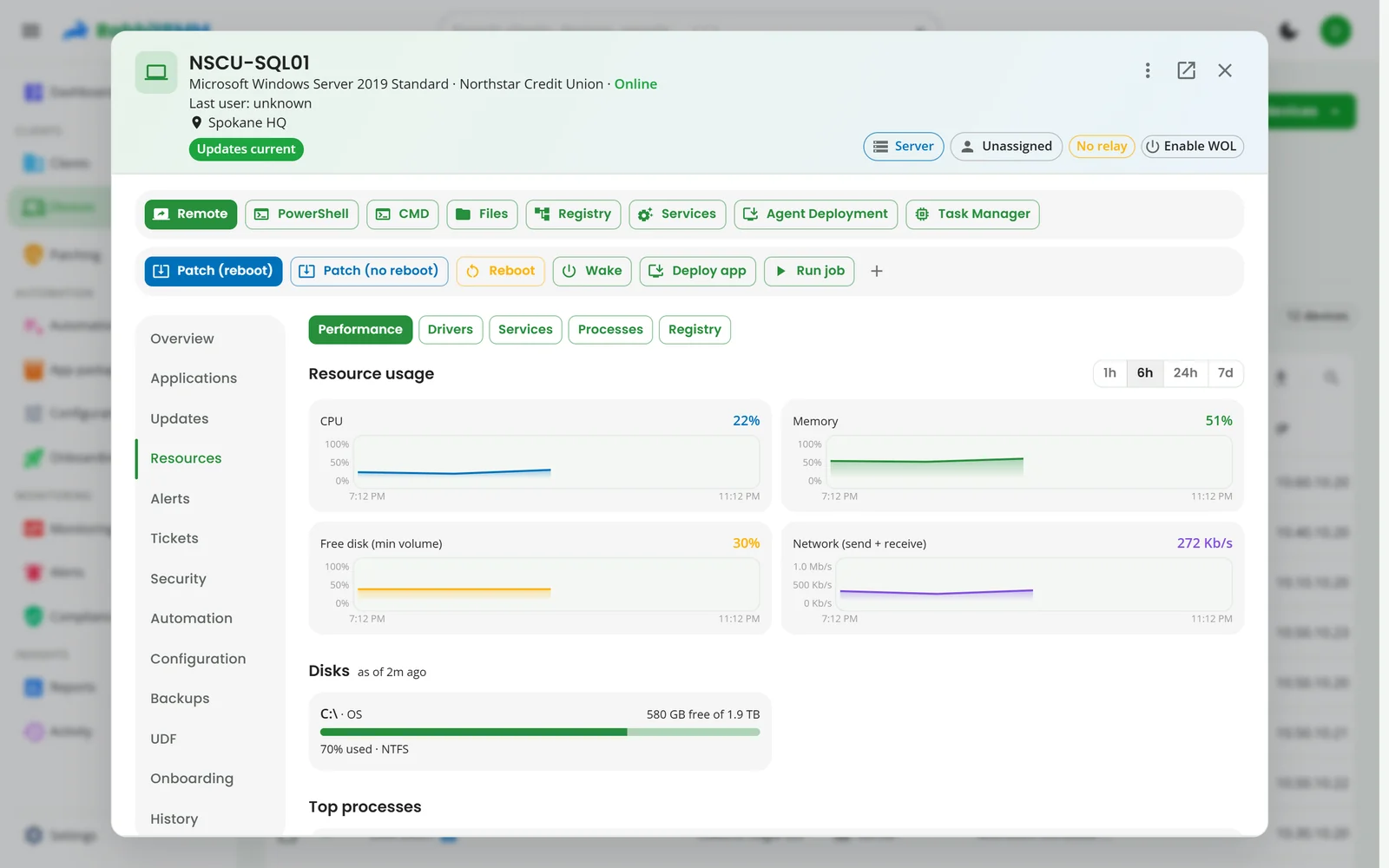
Remote desktop, terminal and files run over the RabbitRMM agent's own encrypted connection, so there is nothing else to install, patch or pay for.
- Remote desktop with every monitor as a thumbnail, and a choice of Windows session for terminal servers
- A real PowerShell or CMD terminal, opened in one click
- Browse, download and upload files
- Registry, services, processes and drivers, live
- Privacy mode: on attended machines the user approves each session, and a banner shows while you are connected
- Wake-on-LAN through any neighbour on the same network
Automation
Write it once. Run it everywhere it fits.
A script library with the essentials built in, and the plumbing to run any of it on one device, a group, a client or the whole fleet.
- Built-in scripts to copy and adapt, organised by category and tag
- Client variables and per-device custom fields, readable and writable from scripts
- Secret parameters passed through the environment, never written to disk
- Jobs on demand or on a schedule, with live results per device
- Workflows that chain scripts and app installs, triggered by alerts or configuration drift
- Automation levels on scripts and roles, so juniors cannot run what they should not
- Up to five custom buttons on every device for the things your team does daily
App deployment
371 apps a click away, and your own installers too.
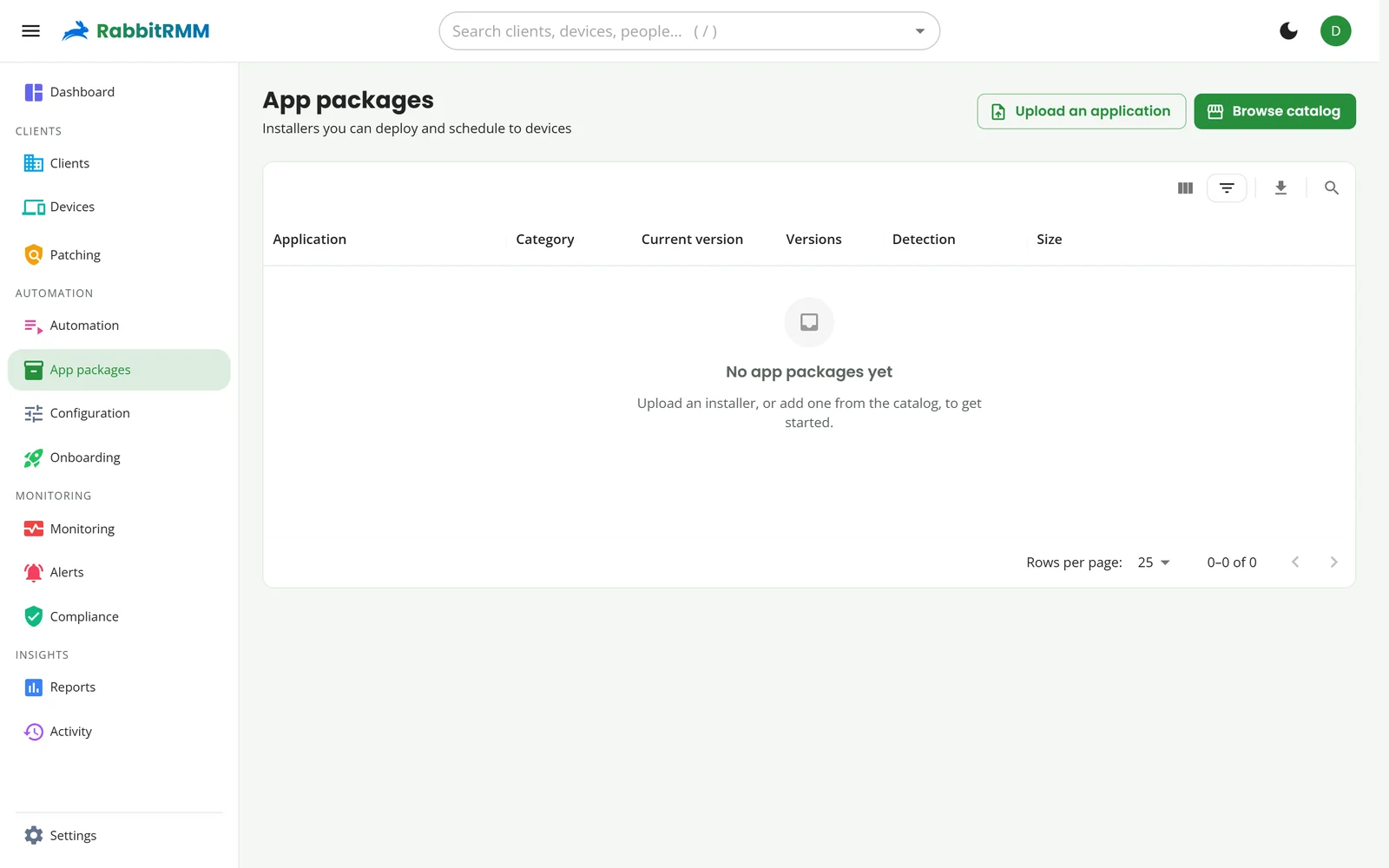
Browse the catalog, deploy now or in the next maintenance window, and RabbitRMM keeps every package on its latest version for you.
- Catalog apps install machine-wide, or for the signed-in user when that is all the vendor ships
- Upload your own MSI or EXE with silent arguments and keep a version history to roll back to
- Detection rules check the app really installed, against the device's software inventory
- Uninstall any app from the device's Applications tab
Configuration and onboarding
Say how a machine should be. RabbitRMM keeps it that way.
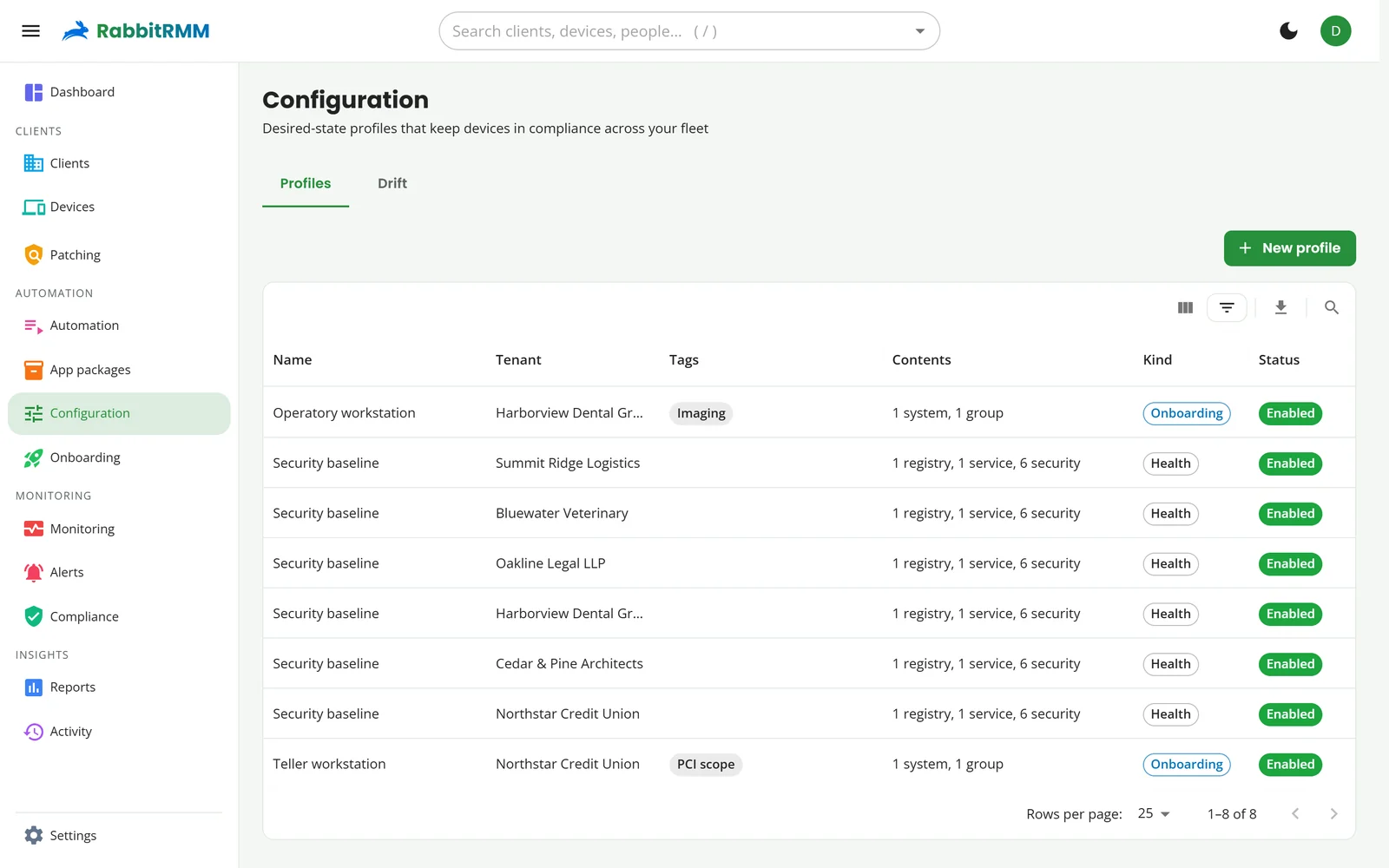
Configuration profiles are ordered steps: apps, printers, mapped drives, registry values, services, Windows features, local admins, security settings and scripts. Tag a device and the profile applies; drift and it is corrected.
- Security baselines: firewall on every profile, Defender real-time and PUA protection, BitLocker with the key escrowed to Active Directory
- Onboarding profiles run once on a new machine and report each step
- Conflicting settings are caught when you save, not when devices disagree
- Onboarding media: a USB package that enrols a freshly imaged machine straight into the right client, tags and profiles
- Join a machine to the domain while it is off the corporate network, through an agent that can reach a domain controller
Compliance and security
Prove it with the data you already have.
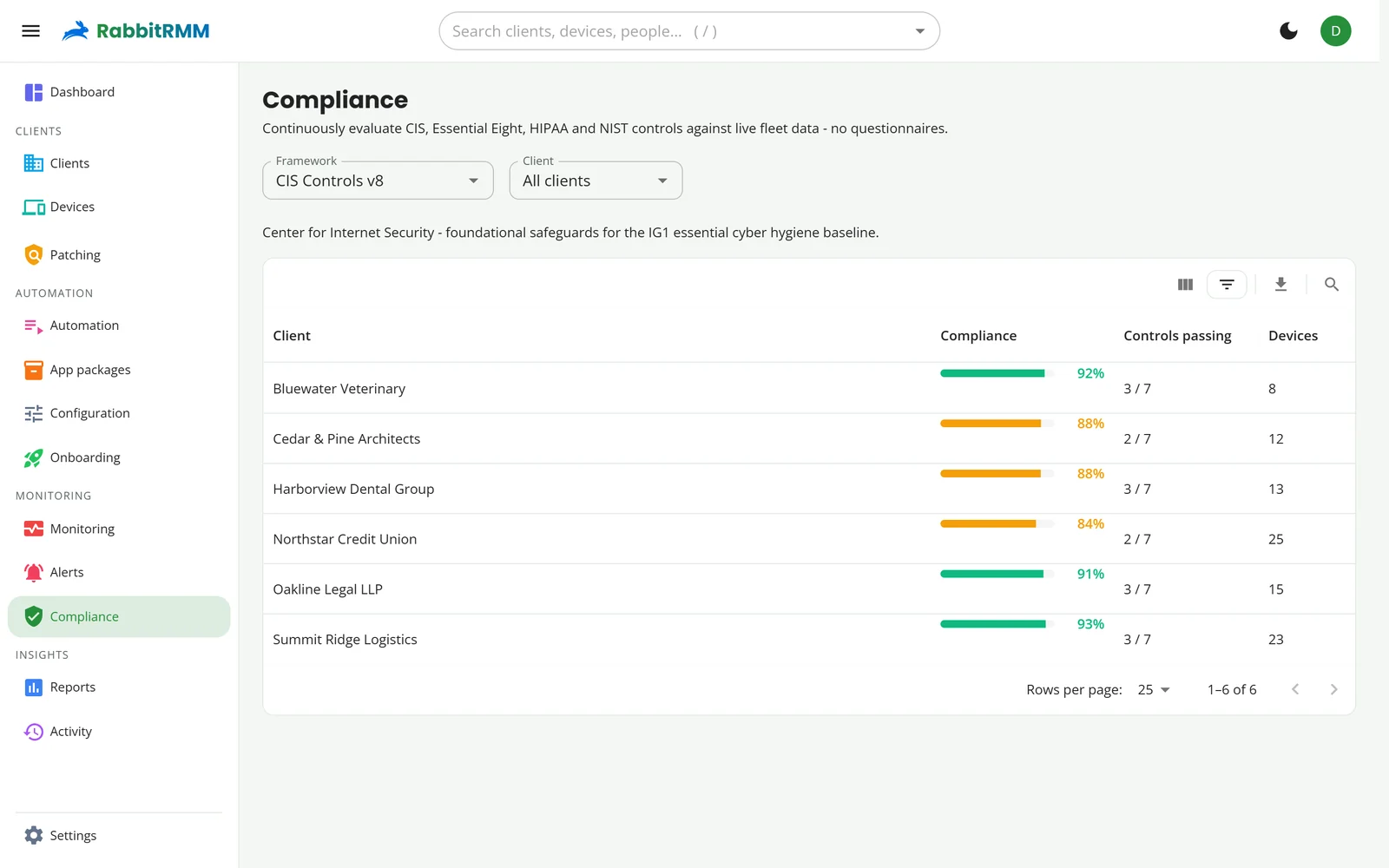
Compliance is scored from what devices report, not from what someone ticked in a spreadsheet. Pick a framework, see every client's score, and export the evidence behind it.
- CIS Controls v8, Essential Eight, HIPAA and NIST CSF
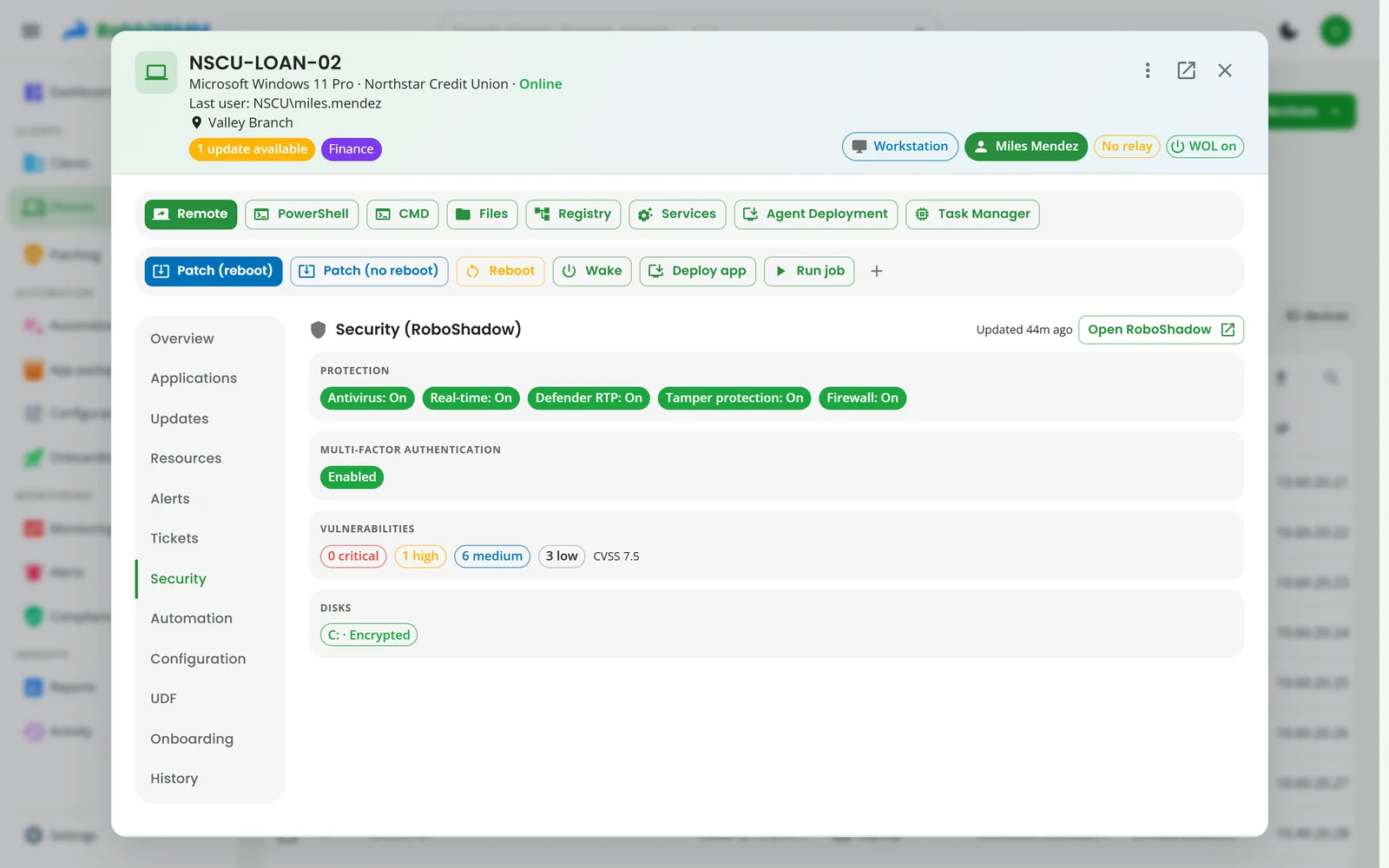
- Vulnerabilities per device from RoboShadow or ConnectSecure, with a "patch the devices missing this" action
- Microsoft 365 posture: security defaults, conditional access, global admin count, guest invites
- MFA status for every person, from Microsoft 365
- BitLocker, Defender and firewall status on every machine
Backups and warranty
The things that fail quietly, watched loudly.
Backups on the device
Datto BCDR and Acronis assets match to devices by name. Each device shows its last backups, and a failing backup becomes an alert with a suggested fix.
Warranty without the lookups
ScalePad fills in warranty status, coverage and end dates for every machine and network device, so renewals are a report, not a project.
Failure, predicted
SMART disk wear, predicted disk failure and battery wear raise a hardware-health alert, and a ticket, before the user notices anything.
Reports
Answers in a click, PDFs on a schedule.
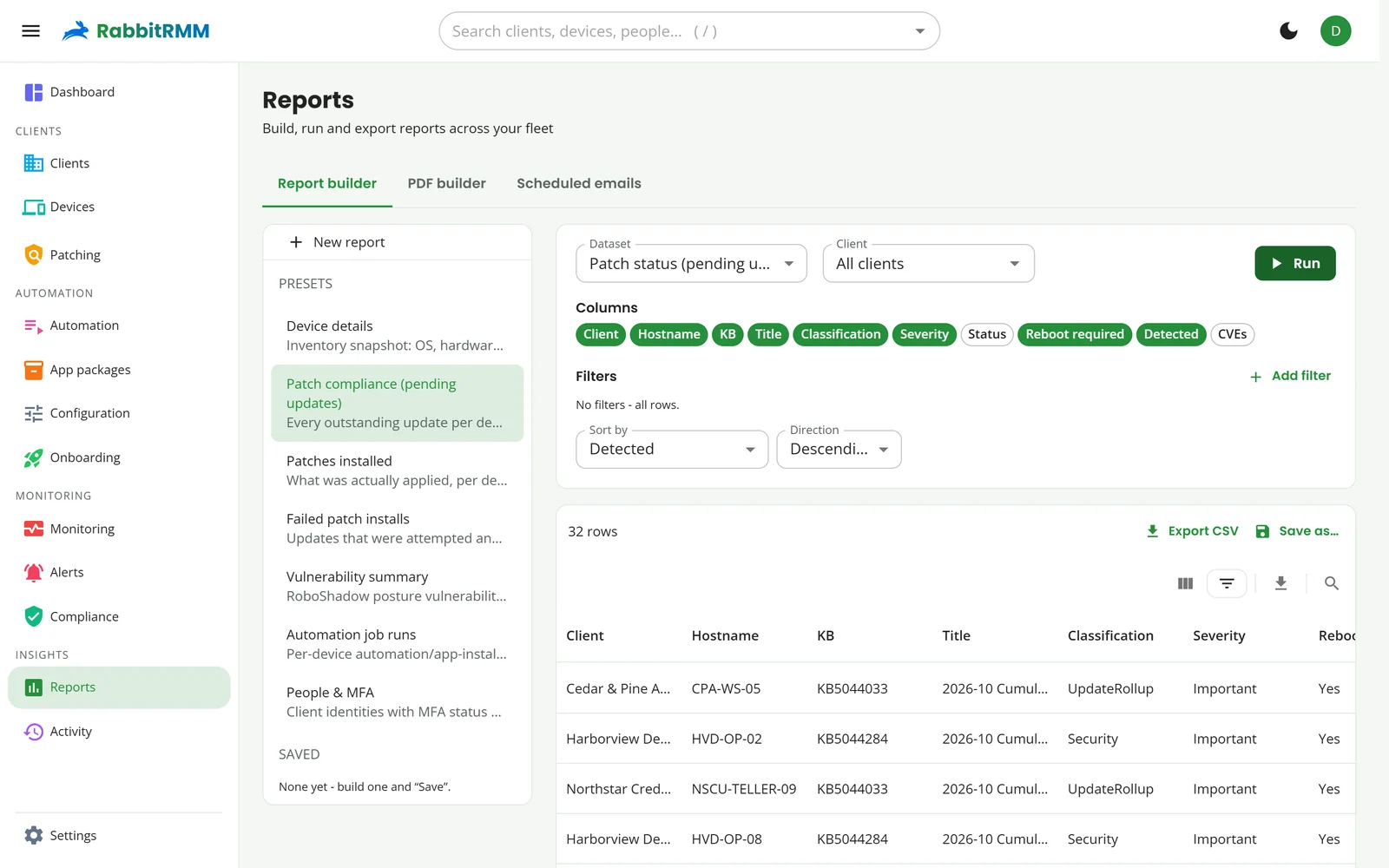
Pick a dataset, choose the columns and filters, and run it across one client or all of them. Save it, chart it, or send it every month as CSV and PDF.
- Ready-made reports: inventory, patch compliance, patches installed, failed installs, vulnerabilities, job runs, people and MFA
- A PDF builder that composes several reports, with your logo
- Scheduled emails per client
- Describe a report in plain English and let AI build it
AI operations
Help from AI, approval from people.
Bring your own key for Claude, OpenAI or Azure OpenAI. Keys are encrypted at rest, every call is metered, and each person can have a monthly budget.
- Alert triage: summaries, correlation and a suggested resolution
- Ticket drafts that say what was checked and what to try
- Scripts, reports and automations written from a description
- Remediation proposals that run only after a technician approves
Summary. Backups for OAK-FS01 have failed seven runs in a row since the SQL VSS writer started timing out.
Suggested resolution. Restart the SQL Server VSS Writer service, then retry the backup. If it times out again, check for a long-running SQL job holding a snapshot.
An alert as RabbitRMM shows it with AI operations switched on (demo data).
Built for MSPs
Multi-client from the first line of code.
Roles and client scope
Roles hold permissions and the clients they cover, including every future client. Hold several roles and switch between them, so you work with exactly the access the task needs.
Microsoft 365 and Active Directory
GDAP brings in clients and their people; an agent on a domain-joined machine syncs AD, so every person shows where they come from.
Your PSA, both ways
Autotask, ConnectWise or HaloPSA: companies match to clients, alerts become tickets from your templates, and closed alerts close tickets.
White-label everything
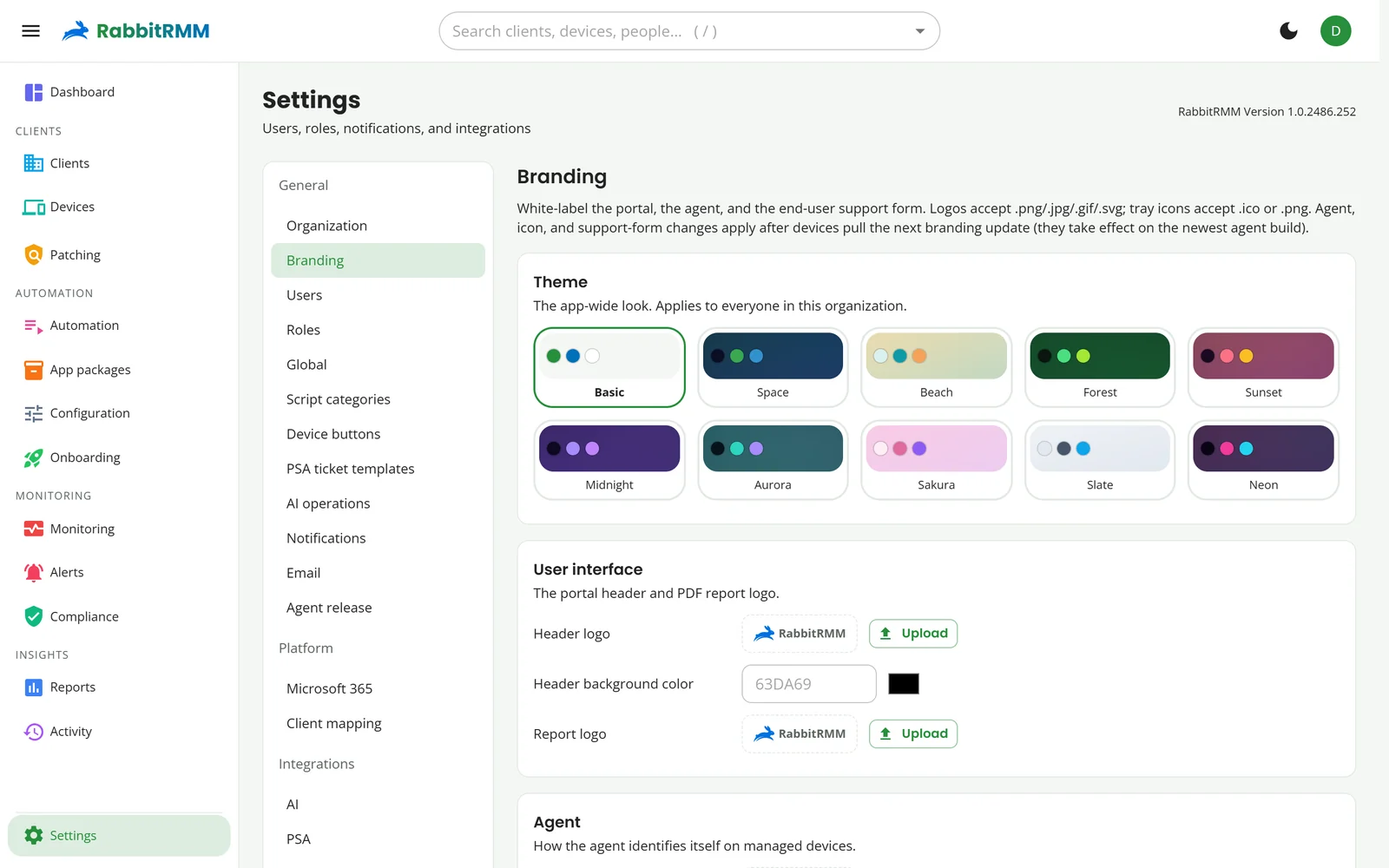
Portal theme and logo, the agent's tray icon and support form, the reboot prompt, emails and PDF reports.
An activity trail
Every change, job, patch and remote session, with who did it. Filter by client or category.
A support button for users
The tray app gives every user a way to raise a ticket, with the device details attached for you.
Walk through it with us.
We will show you the parts that matter for your clients, on a fleet like yours.